



Payeer was once a familiar option for businesses and individuals who wanted an online wallet, currency exchange, internal transfers, and merchant payments in one account. Payeer has now stopped operating, and its payment gateway is no longer available for normal merchant payment processing.
If your website previously accepted payments through Payeer, the practical question is no longer whether to wait for the old service to return. You need a replacement that can create payment requests, verify transactions, update orders, and give customers a clear way to pay.
For businesses that mainly want to accept cryptocurrency, Coinom Crypto Payment Gateway is a focused Payeer payment gateway alternative with no merchant KYC. Coinom lets websites and applications accept Bitcoin, USDT, Ethereum, BNB, TRON, Litecoin, Dogecoin, and other supported assets. Merchants can connect through ready-to-use plugins or a REST API, while Coinom handles payment creation, blockchain monitoring, confirmation tracking, and payment status updates.
This guide explains what Payeer’s closure means for merchants, what businesses actually need to replace, how Coinom compares with the former Payeer merchant experience, and how to move your checkout without creating unnecessary work for your team or customers.
Payeer Has Stopped Providing Payment Gateway Services
Payeer has ended its normal operations and no longer provides an active payment gateway that online businesses can use to accept new customer payments. Merchants can no longer depend on Payeer for new checkout integrations, payment processing, or ongoing gateway support.
This creates a practical problem for websites that previously offered Payeer at checkout. A visible Payeer button is not useful when the underlying service is no longer processing merchant payments. Leaving it enabled can confuse customers, interrupt orders, and create unnecessary support requests.
Older Payeer reviews, tutorials, plugins, and setup guides may still appear in search results. Their presence does not mean the service remains available. Businesses should remove Payeer from new checkout pages and replace it with an active payment gateway that can create and verify payments reliably.
The right replacement depends on which Payeer feature your business used. If the main requirement was accepting cryptocurrency on a website, store, billing platform, or application, Coinom provides a direct path to restore that payment option. It offers active merchant tools, supported cryptocurrencies, ready-made plugins, and an API without requiring merchant KYC during signup.
What Should a Payeer Alternative Actually Replace?
The word “alternative” can be misleading because Payeer combined several different products. It acted as an electronic wallet, an exchange interface, an internal account-to-account transfer system, and a merchant payment method. Few modern services should be expected to reproduce all of those functions in exactly the same way.
Before choosing a Payeer alternative, identify the job Payeer performed for your business:
- Website checkout: customers selected Payeer and paid for an order or invoice.
- Crypto acceptance: customers used digital assets while your system recorded the payment.
- Internal transfers: funds moved between Payeer account numbers without an on-chain transaction.
- Balance storage: the business held fiat or cryptocurrency inside a Payeer account.
- Currency exchange: the business converted between available balances inside the platform.
Coinom is designed to replace the first two functions: accepting cryptocurrency at checkout and connecting confirmed payments to your website, application, store, or billing system. It is not presented as a complete replica of Payeer’s former fiat wallet or internal-transfer network. If you relied on those unrelated Payeer features, you may need a separate banking, wallet, or exchange solution in addition to Coinom.
Why Coinom Is a Strong Payeer Payment Gateway Alternative
Coinom is built specifically for online businesses that want to accept crypto payments. Instead of trying to combine every financial service in one account, it focuses on the merchant payment flow: create a payment, show the customer the correct payment details, monitor the blockchain, verify the result, and notify the merchant’s system.
1. No Merchant KYC for Fast Onboarding
Coinom does not require merchants to upload identity documents, proof of address, or company-registration documents during standard signup. You can register with an email address and password, create a merchant, generate an API key, and begin configuring your integration without waiting for a manual KYC review.
This is especially useful when a discontinued gateway has left a checkout unavailable and the business needs to restore crypto payments quickly. It also removes a common barrier for freelancers, small teams, international websites, digital-product sellers, and new online businesses.
No KYC does not mean that cryptocurrency transactions are invisible or that a business has no responsibilities. Blockchain transactions remain public, and merchants remain responsible for the tax, accounting, consumer-protection, and other requirements that apply to their activities. A customer’s wallet or exchange may also impose its own verification requirements. “No KYC” here refers to Coinom’s merchant onboarding process, not a promise that every participant in a transaction will avoid verification in every situation.
You might be interested: How to Accept Crypto Payments Without KYC
2. Support for Popular Cryptocurrencies and Networks
A useful Payeer replacement must support assets customers already hold. Coinom currently supports popular payment options including:
- Bitcoin (BTC)
- Tether (USDT) on TRC20, ERC20, and BEP20
- Ethereum (ETH)
- BNB
- TRON (TRX)
- Litecoin (LTC)
- Dogecoin (DOGE)
Supporting both volatile cryptocurrencies and a widely used stablecoin gives customers more choice. Bitcoin may suit customers who already hold BTC, while USDT can be more convenient when both sides want the invoice value to remain close to the US dollar. Multiple USDT networks also reduce the need to force every customer onto one blockchain.
The network must always match the payment request. USDT sent on TRON cannot be treated as the same transfer as USDT sent on Ethereum or BNB Smart Chain. Coinom presents the selected asset and network within the payment flow, but the customer should still verify both before sending.
3. Automatic Blockchain Payment Verification
Publishing a wallet address is not the same as operating a payment gateway. With a shared address, someone must identify the payer, compare the received amount, check the network, wait for confirmations, match the transaction to an order, and update the order manually.
Coinom automates that workflow. It creates a payment request for the order, provides the customer with payment details, monitors the relevant blockchain, tracks confirmations, and returns payment status information to the merchant. This reduces repetitive work and makes the experience closer to a normal online checkout.
Automatic verification is particularly valuable for businesses that deliver services immediately. A hosting company may need to activate an account, a digital store may need to release a download, and a SaaS platform may need to add credit or enable a subscription period. Those actions should follow a verified payment result, not a screenshot sent by the customer.
4. Plugins for Popular Ecommerce and Billing Platforms
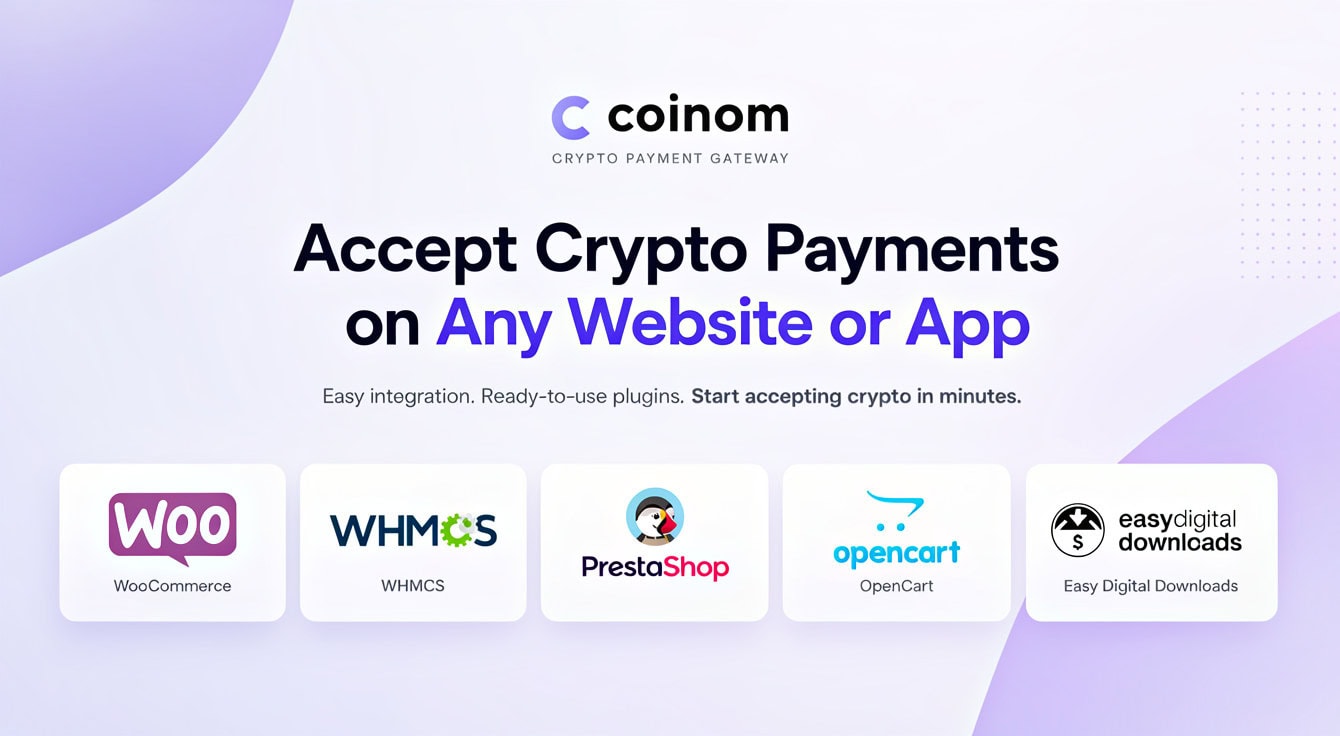
You do not need to build a crypto checkout from the beginning if your website runs on a supported platform. Coinom offers ready-to-use integrations for:
- WooCommerce for WordPress stores
- WHMCS for hosting, domains, SaaS billing, and automated invoices
- PrestaShop for ecommerce websites
- OpenCart for online stores
- Easy Digital Downloads for software, files, licenses, and other digital products
- WordPress Donations for donation and fundraising pages
These plugins are designed to connect the platform’s order or invoice workflow to a Coinom merchant account. You install the relevant plugin, enter the required merchant credentials, choose your settings, and test a payment. The complete and current list is available on the Coinom payment plugins page.
If your platform is not listed, Coinom also offers a REST API for custom websites, mobile applications, SaaS products, Telegram bots, and other systems. Coinom currently states that merchants can request a custom integration for an unsupported platform at no additional cost.
5. A Developer-Friendly API and Safer Payment Flow
The API follows a clear sequence. Your server creates a payment request and receives a unique tracking ID. Your website sends the customer to the hosted payment page. After the transaction changes status, Coinom calls the callback URL supplied by your system. Your server then uses the verification endpoint to confirm the result and compare the returned amount with the original order.
This final verification step is important. A customer returning to a success page does not prove that a blockchain payment was completed. Your application should fulfill the order only after it verifies the payment server-side. The Coinom API documentation explains the request, redirect, callback, and verification flow.
6. Simple and Transparent Pricing
At the time of writing, Coinom lists a 1% processing fee for each successful payment. It does not list monthly, setup, or account-maintenance fees, and it allows unlimited transactions. This pay-as-you-receive model is easy to understand for a small store and predictable enough for a growing business.
The customer normally pays the relevant blockchain network cost when sending the payment. Network fees are separate from Coinom’s gateway processing fee and can change according to the blockchain, wallet, exchange, and network conditions. Check the current Coinom pricing page before making a final commercial decision.
Payeer vs Coinom: Merchant Comparison
The following table focuses on the features that matter when replacing Payeer at an online checkout. It does not suggest that the two platforms are identical products.
| Comparison point | Payeer | Coinom |
|---|---|---|
| Current merchant availability | No longer a dependable option for new merchant payments | Active crypto payment gateway for websites and applications |
| Primary product model | Previously combined e-wallet, exchange, internal transfers, and merchant payments | Focused on cryptocurrency payment processing and merchant integrations |
| Merchant onboarding | New merchant signup and payment processing are no longer available | Email registration and merchant setup without standard identity-document submission |
| Supported crypto payments | Previously supported multiple digital assets | BTC, USDT, ETH, BNB, TRX, LTC, DOGE, and other supported options |
| USDT networks | Legacy availability is no longer relevant for new checkout use | TRC20, ERC20, and BEP20 |
| Integration options | Old modules may remain online but cannot process payments after the service has stopped | WooCommerce, WHMCS, PrestaShop, OpenCart, EDD, WordPress Donations, and REST API |
| Payment verification | Merchant service is no longer suitable for new orders | Blockchain monitoring, confirmation tracking, callbacks, and server-side verification |
| Pricing model | No usable current merchant pricing | Currently 1% per successful payment, with no monthly or setup fee listed |
| Fiat wallet and internal transfers | Previously part of the broader Payeer product | Not positioned as a complete replacement for Payeer’s former fiat account network |
For a merchant whose priority is accepting Bitcoin, USDT, or other supported cryptocurrencies, Coinom covers the part of Payeer that matters most: a working checkout connection and automated payment confirmation. Businesses that also depended on Payeer for fiat storage, card functions, or internal Payeer-to-Payeer transfers should replace those functions separately.

How to Replace Payeer with Coinom
A rushed migration can create duplicate payment options, unpaid orders, or customer confusion. The safer approach is to separate the old system from the new one and test each part of the new payment flow before launch.
Step 1: Audit Your Existing Payeer Integration
Find every place where Payeer appears: checkout settings, payment buttons, invoice templates, saved payment instructions, customer emails, help articles, mobile applications, API calls, and automated provisioning rules. Also identify any pending orders that were created through Payeer but never completed.
Do not simply replace a logo while leaving old account numbers, callback URLs, or status logic in the code. A proper inventory prevents customers from following outdated instructions after the new gateway is active.
Step 2: Preserve Legacy Records
Keep any available Payeer invoices, payment references, transaction exports, screenshots, emails, and customer correspondence required for accounting or disputes. If an old balance remains, contact Payeer only through its genuine domain and official contact details. The Coinom migration is for future payments; it does not move historical funds or resolve claims against Payeer.
Step 3: Create a Coinom Account and Merchant
Visit Coinom, create an account using your email address and password, and add a merchant for the website or application that will receive payments. Generate the merchant API key and store it securely.
If you operate several websites, creating a separate merchant for each project can make transaction tracking, credentials, and troubleshooting easier.
Step 4: Install a Plugin or Connect the API
Use a ready-made plugin when your ecommerce or billing platform is supported. This is normally the fastest route and avoids unnecessary custom development. Use the API when you have a custom checkout, application, bot, account-credit system, or business-specific workflow.
Keep the API key on the server. Do not expose it in client-side JavaScript, public repositories, screenshots, or support messages. Use HTTPS for your website and callback endpoint.
Step 5: Configure Assets and Customer Instructions
Enable the cryptocurrencies and networks that match your audience. More choices can increase accessibility, but every added network needs clear labeling. For USDT, display TRC20, ERC20, or BEP20 prominently and tell customers to use the exact network selected during checkout.
Update your payment page and help center so customers understand that Payeer is no longer supported and that crypto payments are now processed through Coinom. Avoid describing an on-chain payment as a Payeer-style internal transfer; the customer may need to pay a blockchain or exchange withdrawal fee.
Step 6: Complete a Small End-to-End Test
Create a low-value test order and follow the same steps as a real customer. Confirm that:
- Coinom appears at checkout with the correct name and description.
- The order amount and selected cryptocurrency are correct.
- The payment page identifies the network clearly.
- The blockchain transaction is detected.
- Your system receives the callback.
- Your server verifies the payment result and amount.
- The related order, invoice, download, or account balance updates correctly.
- The transaction appears in your Coinom dashboard and internal records.
Also test an unpaid or expired order so your system does not accidentally fulfill an order simply because the customer visited a return URL.
Step 7: Remove Payeer from New Checkouts
After the Coinom test succeeds, disable the old Payeer gateway and remove outdated instructions. Keep historical transaction records, but do not leave a non-working Payeer option visible to new customers. Monitor the first live payments and make sure your support team knows how to find a Coinom tracking ID and blockchain transaction when a customer asks for help.
Who Can Use Coinom as a Payeer Alternative?
Online Stores
WooCommerce, PrestaShop, and OpenCart merchants can add cryptocurrency as a checkout option without asking staff to inspect every transfer. Customers receive a dedicated payment flow, while the store can update orders after verification.
Hosting and Domain Providers
The Coinom WHMCS module is useful for hosting companies, domain providers, VPN services, and other businesses that issue automated invoices. Once a payment is verified, WHMCS can continue the configured invoice and service workflow without manual wallet checks.
SaaS Platforms and Applications
Developers can use the REST API to connect payments with subscriptions, prepaid credit, licenses, account upgrades, or other application events. The API is also suitable when a hosted ecommerce plugin does not match the product architecture.
Digital Product Sellers
Easy Digital Downloads merchants can accept crypto for software, ebooks, media, templates, and other files. Automatic confirmation can reduce the delay between payment and delivery while keeping the order linked to the correct customer.
Donation Websites and Online Communities
The WordPress Donations integration gives publishers, open-source projects, communities, and fundraising sites a structured way to receive supported cryptocurrencies rather than publishing one shared address for every contributor.
Important Differences Payeer Users Should Expect
Switching from Payeer to a crypto-focused gateway changes a few parts of the payment experience. Planning for these differences helps prevent support tickets.
Customers Pay On-Chain
A Payeer internal transfer could move a balance between two platform accounts. A Coinom crypto payment is sent through the selected blockchain or through a compatible withdrawal route offered by the customer’s exchange. The customer must choose the correct asset and network and may pay a network or withdrawal fee.
A Screenshot Is Not Payment Proof
Do not activate an order because a customer submits a wallet screenshot. Screenshots can be incomplete, mistaken, or altered. Use the gateway’s server-side verification result and confirm that the returned amount matches the original order.
Crypto Payments Are Usually Irreversible
Blockchain transactions generally cannot be canceled after confirmation. Publish a clear refund policy and verify the destination network and address before returning funds. Keep order IDs, tracking IDs, transaction hashes, amounts, assets, and customer communication in your records.
No KYC Is Not the Only Selection Criterion
Fast onboarding is valuable, but a merchant should also examine supported assets, network coverage, plugin compatibility, API design, verification logic, pricing, documentation, support, and the service’s terms. Coinom combines no-KYC onboarding with the core tools needed to automate cryptocurrency payments.
How to Evaluate Any Payeer Payment Gateway Alternative
Whether you choose Coinom or compare several providers, use a practical checklist instead of relying on a “best gateway” label:
- Confirm the service is active. A live marketing page alone is not enough; current signup, documentation, checkout, and support should work.
- Match customer demand. Select a provider that supports the coins and networks your customers actually use.
- Check the complete fee model. Separate gateway fees from blockchain costs, exchange withdrawal fees, conversion costs, and any monthly charge.
- Verify integration compatibility. A reliable plugin or documented API can save considerable development and maintenance time.
- Understand payment confirmation. The gateway should let your server verify the payment rather than relying only on a browser redirect.
- Review onboarding requirements. If no KYC is important, confirm exactly what it means and read the provider’s current terms.
- Plan for records and support. Your team should be able to trace each order using a gateway reference and blockchain transaction.
- Test before launch. Complete a real low-value payment on each important integration and network.
Coinom performs well against this merchant-focused checklist: it is an active Crypto Payment Gateway, supports major cryptocurrencies and several popular networks, offers plugins and an API, automates payment verification, and does not require standard merchant KYC during signup.
Frequently Asked Questions
Is Payeer still working as a payment gateway?
No. Payeer has stopped operating and is no longer available as a dependable service for new merchant payments. Businesses should remove Payeer from active checkout pages and use a working payment gateway for future orders.
Why do merchants need a Payeer alternative?
Merchants need an alternative because Payeer no longer processes new payments or provides an active gateway for online checkout. Replacing it prevents customers from selecting an unavailable payment method and allows orders to be verified and completed normally.
Can I continue using an old Payeer plugin?
No. An old plugin cannot process payments when the underlying Payeer service is no longer operating. Disable the Payeer module, preserve any historical records you need, install your replacement gateway, and complete a test payment before making it available to customers.
What is the best Payeer alternative for accepting crypto payments?
For websites and applications that need to accept cryptocurrency without merchant KYC, Coinom is a strong Payeer alternative. It supports popular cryptocurrencies, automatic blockchain verification, ready-made ecommerce and billing plugins, and a REST API for custom integrations.
Does Coinom require KYC?
Coinom does not require standard identity or company documents during merchant registration. You can sign up with an email address and password, create a merchant, and generate an API key without waiting for a conventional KYC review. Merchants remain responsible for the requirements that apply to their own businesses.
Can Coinom transfer my remaining Payeer balance?
No. Coinom is a gateway for new cryptocurrency payments and cannot access or migrate funds held by Payeer. For an unresolved legacy balance, contact Payeer through the genuine Payeer domain and avoid unofficial recovery agents, clones, or anyone requesting an advance unlock payment.
Does Coinom replace every Payeer feature?
No. Coinom replaces the crypto merchant-payment function, not every feature of Payeer’s former multi-purpose account. Businesses needing fiat accounts, card services, or closed-network internal transfers should arrange those functions separately.
Which cryptocurrencies can customers use with Coinom?
Coinom currently supports Bitcoin, USDT, Ethereum, BNB, TRON, Litecoin, Dogecoin, and other supported options. USDT is available through TRC20, ERC20, and BEP20. Always check the current asset list and use the exact network displayed for a payment.
Which Coinom plugins are available?
Coinom provides integrations for WooCommerce, WHMCS, PrestaShop, OpenCart, Easy Digital Downloads, and WordPress Donations. Businesses with a custom website, app, SaaS platform, or bot can use the REST API or request a custom integration.
How much does Coinom cost?
Coinom currently lists a 1% processing fee on successful payments, with no monthly, setup, or account-maintenance fee. The sender may separately pay a blockchain network fee or an exchange withdrawal fee.
How quickly can I replace Payeer with Coinom?
Creating an account, adding a merchant, and generating an API key can take only a few minutes. A ready-made plugin can also be connected quickly. The complete migration time depends on your platform, but you should always allow time for an end-to-end test before accepting live customer payments.
Final Verdict: Is Coinom the Right Payeer Alternative?
Payeer’s closure left many merchants searching for a payment method that is active, easy to integrate, and suitable for international crypto customers. Coinom is not a clone of Payeer’s old wallet ecosystem, and that distinction is important. It is a dedicated gateway for businesses that want to accept cryptocurrency and automate the work between a blockchain transaction and an online order.
With no merchant KYC during standard onboarding, support for Bitcoin, USDT, Ethereum, BNB, TRON, Litecoin, Dogecoin, multiple USDT networks, ready-to-use plugins, a documented API, automatic payment verification, and straightforward pricing, Coinom provides the key tools most former Payeer merchants need.
If your goal is to restore crypto payments on a website, store, hosting business, SaaS platform, application, or donation page, start with Coinom Crypto Payment Gateway, choose the integration that matches your platform, complete a small test payment, and replace the inactive Payeer option with a checkout built for cryptocurrency.